> ## Documentation Index
> Fetch the complete documentation index at: https://docs.browseros.com/llms.txt
> Use this file to discover all available pages before exploring further.
# Connect your AI
> One-click setup for the AI tools we support. A copyable endpoint URL for everything else.
BrowserClaw is one MCP server, at one URL, on your own machine. Any AI tool that supports MCP can use it. This page covers the one-click board for the tools we support today. For anything else, [set it up manually](/browserclaw/mcp/manual) with the endpoint URL below.
## The endpoint URL
Open a new tab in BrowserClaw and click **MCP** in the sidebar. The top of the page shows the endpoint URL:
```text theme={null}
http://127.0.0.1:9200/mcp
```
That address is local to your computer. Nothing crosses the network. Click **Copy** at the top of the page to grab it.
## One-click setup
Under the endpoint URL you'll see the list of AI tools we support out of the box. Find yours, click **Connect**, and restart the AI tool.
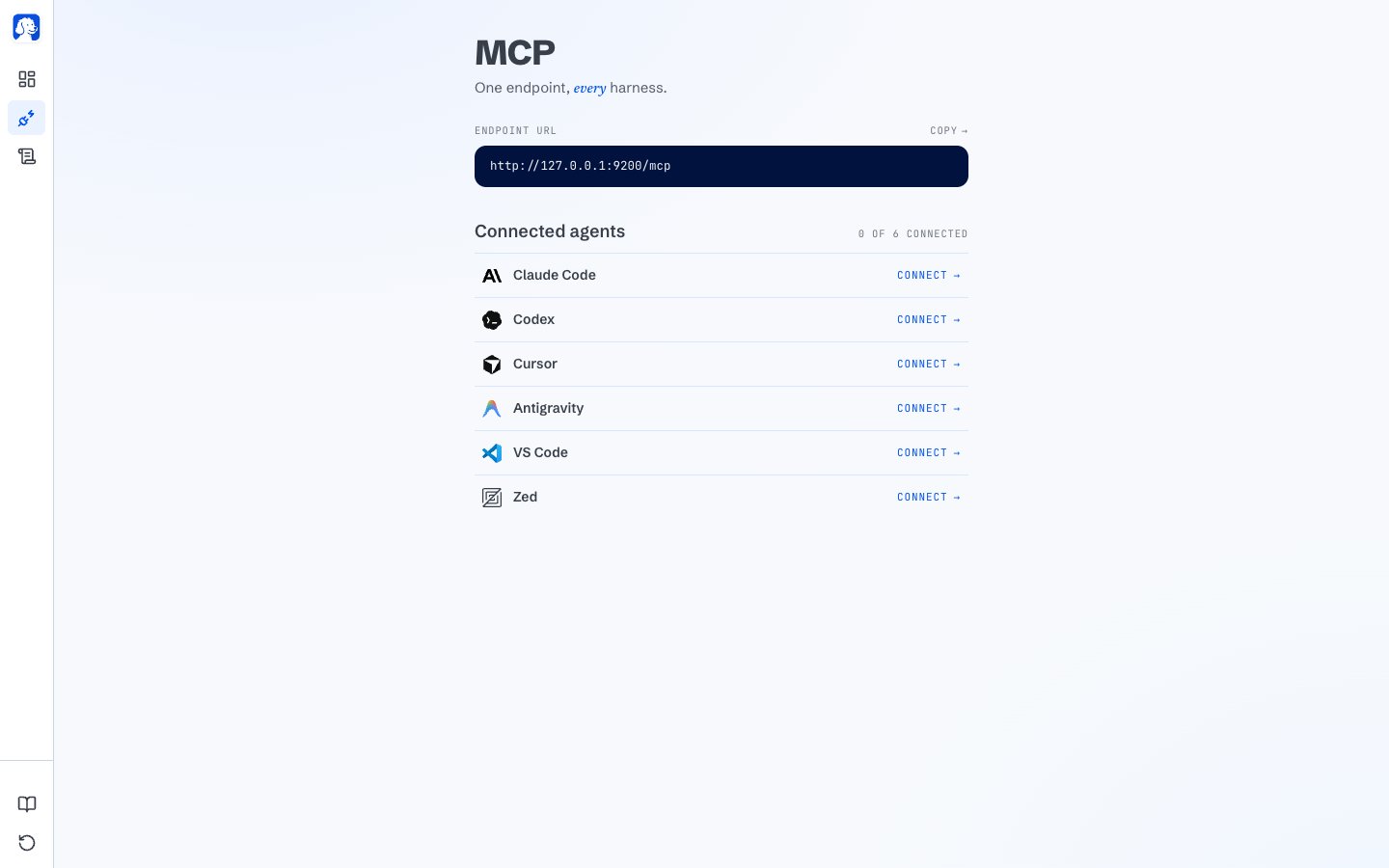 Today the supported AI tools are **Claude Code**, **Codex**, **Cursor**, **OpenCode**, **Antigravity**, **VS Code**, and **Zed**. Behind the scenes, BrowserClaw writes a single entry named `BrowserClaw` into the AI tool's own MCP config file, pointing at the endpoint URL above. Nothing else changes.
The board updates as soon as your AI tool actually loads the config. If you don't see the row flip to **Connected**, restart the AI tool once and come back.
## Don't see your AI tool?
If your AI tool supports MCP but isn't on the one-click board, we'd love to add it. Head to [BrowserOS Discussions](https://github.com/orgs/browseros-ai/discussions) and open a new discussion. A short template that helps us move fast:
```text theme={null}
Title: Add one-click support for
- Name and link to the AI tool
- Which config file it uses for MCP servers (path + format)
- A link to that AI tool's MCP setup docs
- Whether you're already using BrowserClaw with it via the manual setup
```
While you're waiting for one-click support, most AI tools work with the manual URL setup.
Guided setup for Hermes Agent, Vercel AI SDK, OpenClaw, and other MCP-compatible AI tools.
## Where to next
A guided walkthrough from install to your first AI-driven session.
Every part of the new-tab dashboard and what it tells you.
Today the supported AI tools are **Claude Code**, **Codex**, **Cursor**, **OpenCode**, **Antigravity**, **VS Code**, and **Zed**. Behind the scenes, BrowserClaw writes a single entry named `BrowserClaw` into the AI tool's own MCP config file, pointing at the endpoint URL above. Nothing else changes.
The board updates as soon as your AI tool actually loads the config. If you don't see the row flip to **Connected**, restart the AI tool once and come back.
## Don't see your AI tool?
If your AI tool supports MCP but isn't on the one-click board, we'd love to add it. Head to [BrowserOS Discussions](https://github.com/orgs/browseros-ai/discussions) and open a new discussion. A short template that helps us move fast:
```text theme={null}
Title: Add one-click support for
- Name and link to the AI tool
- Which config file it uses for MCP servers (path + format)
- A link to that AI tool's MCP setup docs
- Whether you're already using BrowserClaw with it via the manual setup
```
While you're waiting for one-click support, most AI tools work with the manual URL setup.
Guided setup for Hermes Agent, Vercel AI SDK, OpenClaw, and other MCP-compatible AI tools.
## Where to next
A guided walkthrough from install to your first AI-driven session.
Every part of the new-tab dashboard and what it tells you.