
Why Workspaces?
Without a workspace, the agent can only interact with browser tabs. With a workspace, it can:- Read files from your selected folder
- Write files like reports, spreadsheets, or markdown
- Run shell commands within the folder
Setting Up a Workspace
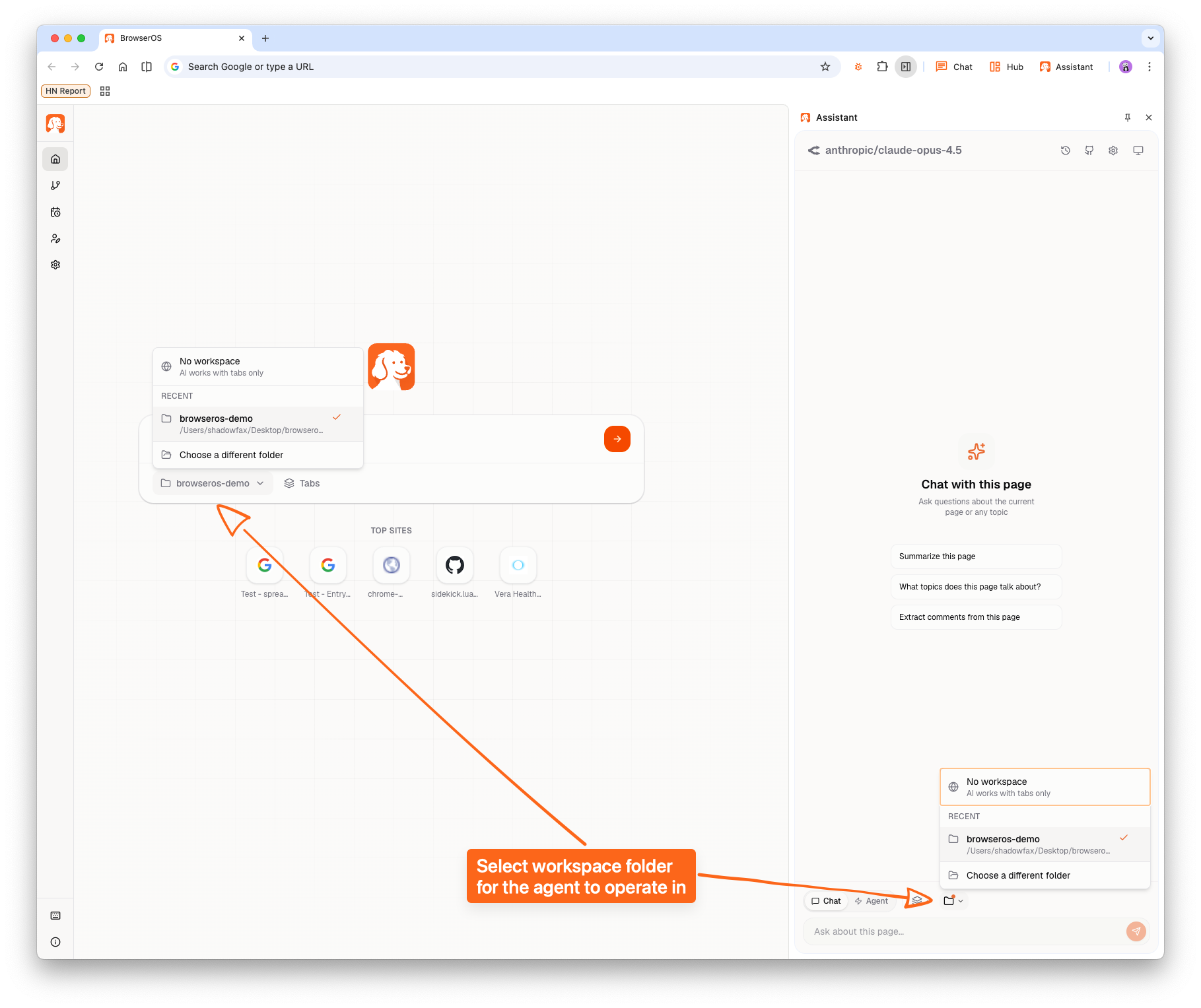
- Click the workspace dropdown (next to the prompt input)
- Select a recent folder or click Choose a different folder
- Grant BrowserOS access to that folder when prompted
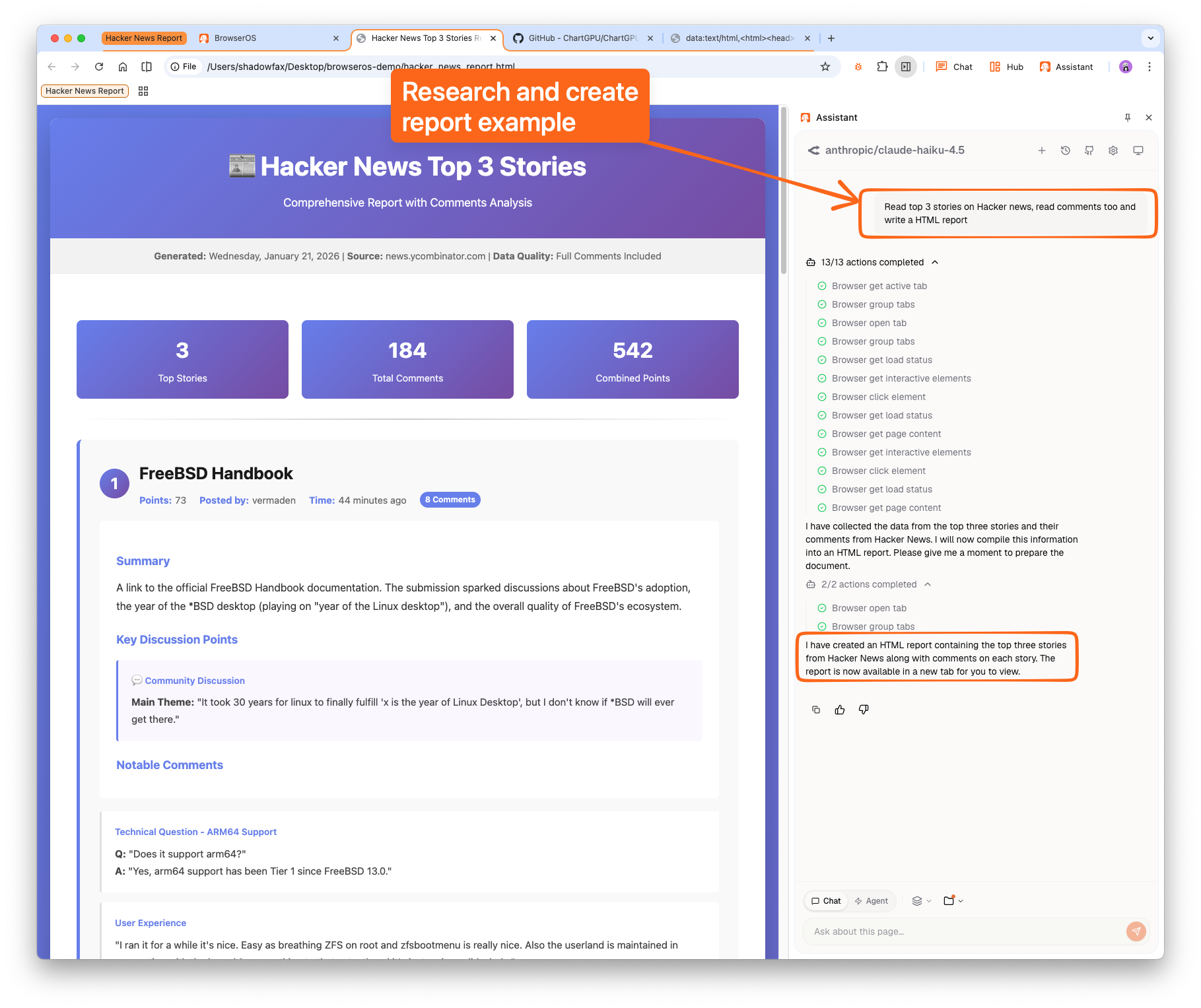
Try It: Research and Create a Report
With a workspace selected, try this prompt:- Navigate to Hacker News
- Read each top story and its comments
- Generate an HTML report summarizing the findings
- Save the report to your workspace folder
Example Use Cases
Organize your downloadsGo through my Downloads folder and organize files by type—documents, images, videos, archives.Competitive research report
Research key trends about [topic] on Reddit, Twitter, and LinkedIn. Create an HTML report with your findings.Web scraping to files
Visit these 10 product pages, extract the name, price, and description, and save the results as a markdown file.Content aggregation
Find the top posts from these 5 subreddits today and compile them into a daily digest document.
Security
- The agent can only access the folder you select—no parent directories or other locations
- You can revoke access anytime by selecting No workspace
- All file operations happen locally on your machine