Context Length
Set context length when starting Ollama:Increasing context length uses more VRAM. Run
ollama ps to check your current allocation. See the Ollama context length docs for more details.Setup
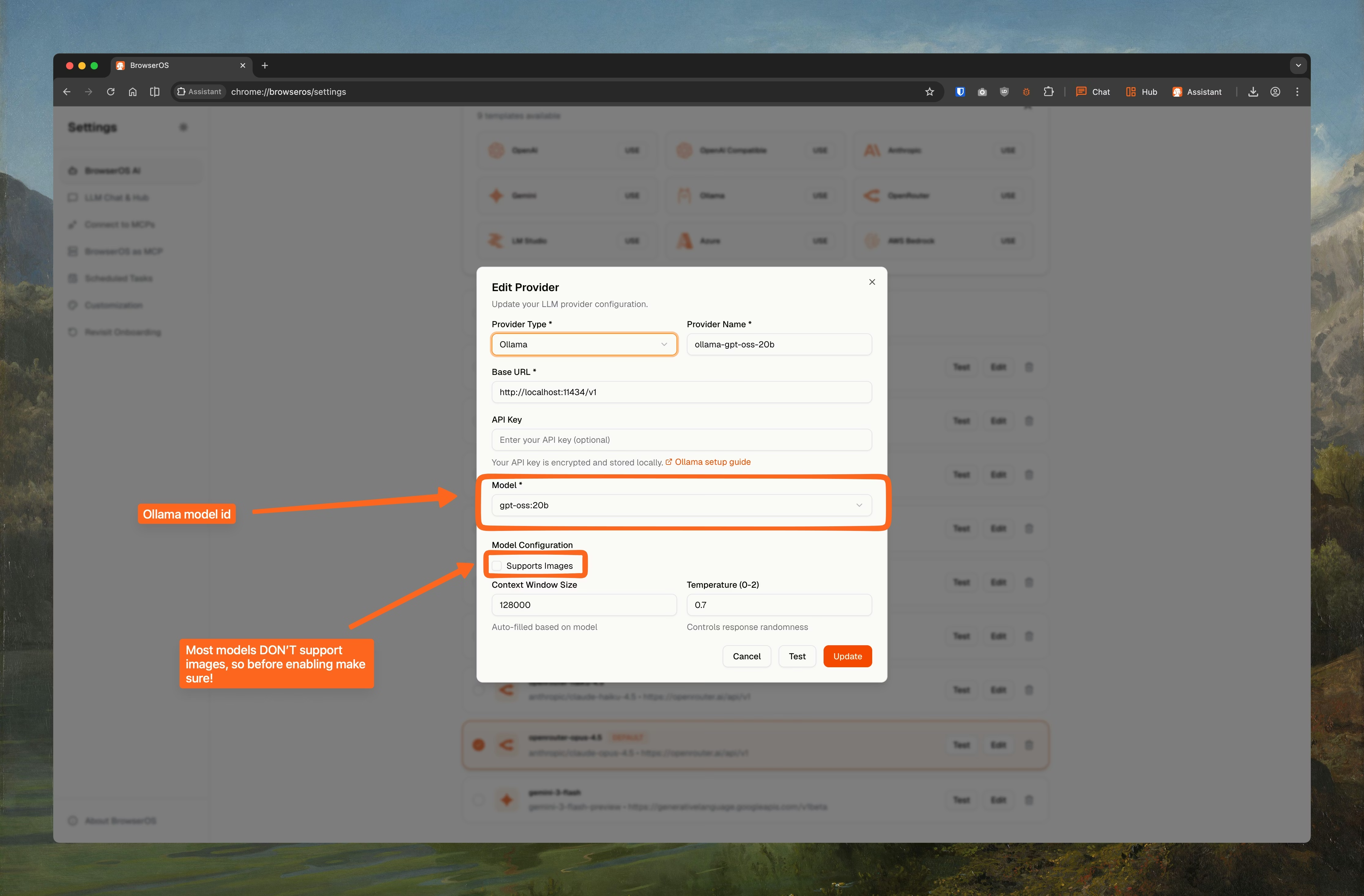
- Ollama
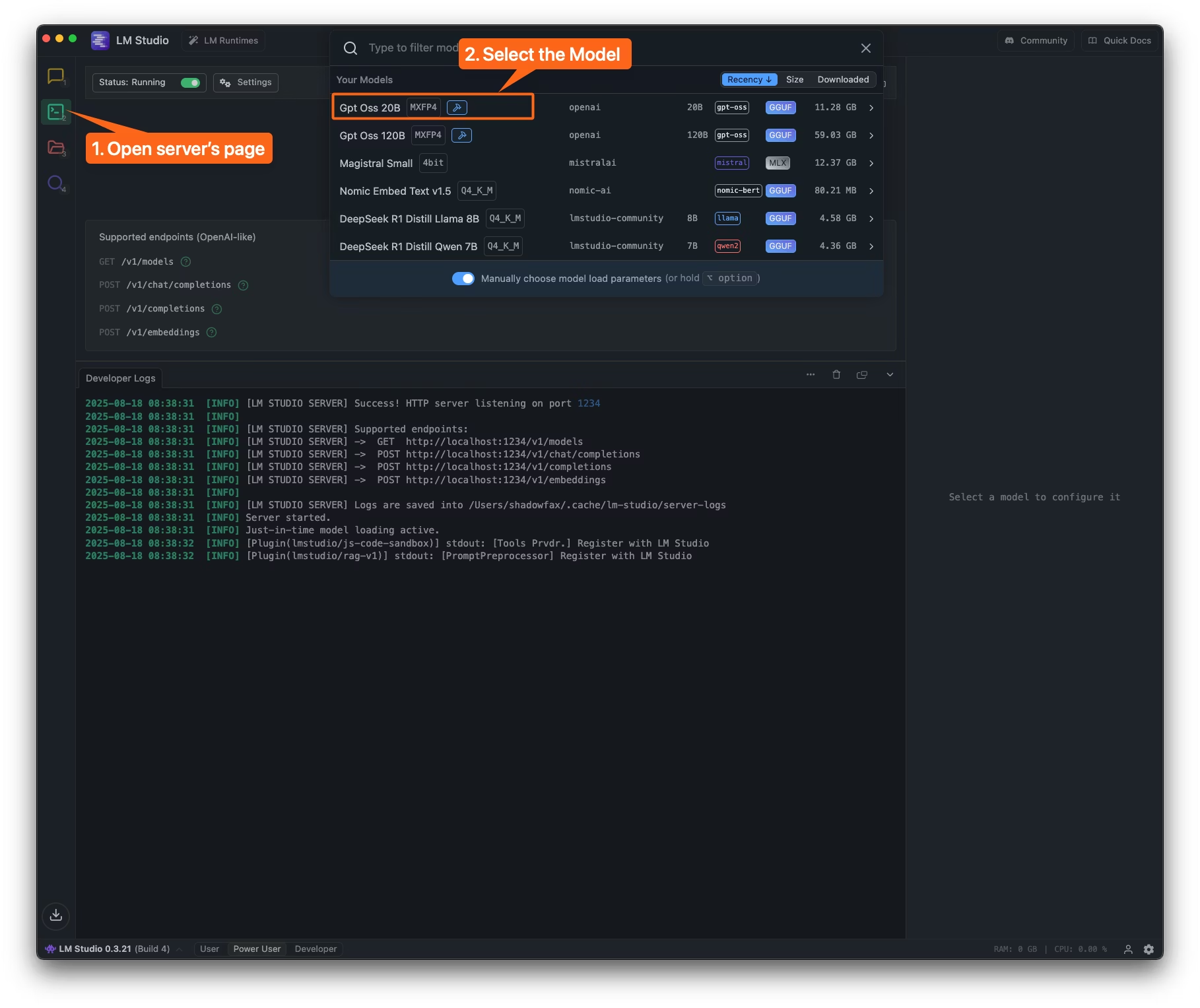
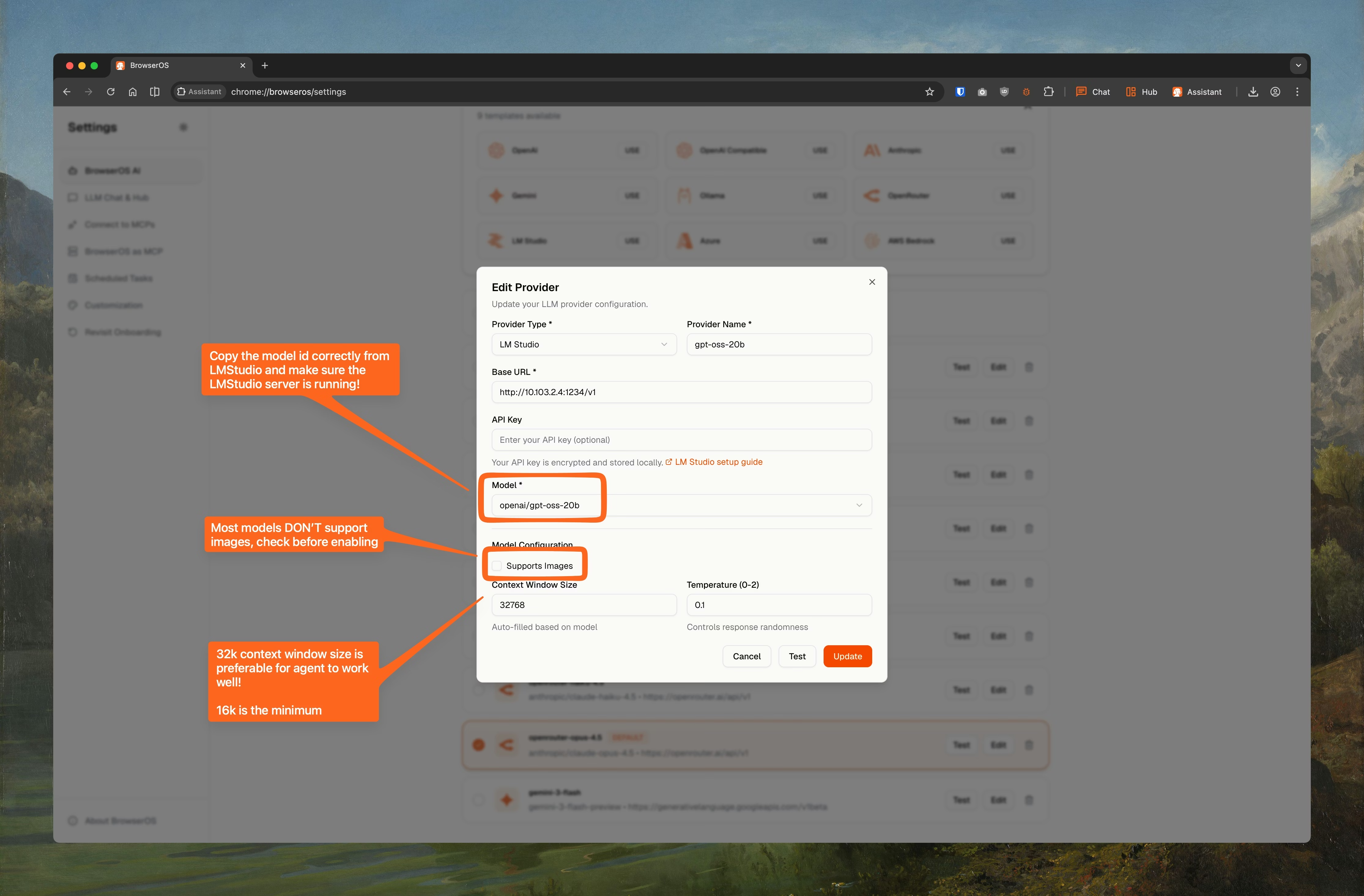
- LM Studio
The easiest way to run models locally.
Install Ollama
Download from ollama.com and install it.
Recommended Models
Pick a model based on your available RAM/VRAM. Smaller models are faster but less capable.Lightweight (under 5 GB)
Good for machines with 8 GB RAM. Fast responses, suitable for simple chat tasks.| Model | Publisher | Params | Quant | Size |
|---|---|---|---|---|
qwen/qwen3-4b | Qwen | 4B | 4bit | 2.28 GB |
mistralai/ministral-3-3b | Mistral | 3B | Q4_K_M | 2.99 GB |
deepseek-r1-distill-qwen-7b | lmstudio-community | 7B | Q4_K_M | 4.68 GB |
deepseek-r1-distill-llama-8b | lmstudio-community | 8B | Q4_K_M | 4.92 GB |
Mid-range (10–15 GB)
Needs 16+ GB RAM. Better reasoning, handles longer conversations well.| Model | Publisher | Params | Quant | Size |
|---|---|---|---|---|
openai/gpt-oss-20b | OpenAI | 20B | MXFP4 | 12.11 GB |
mistralai/magistral-small | Mistral | 23.6B | 4bit | 13.28 GB |
mistralai/devstral-small-2-2512 | Mistral | 24B | 4bit | 14.12 GB |
Heavy (60+ GB)
For workstations with 64+ GB RAM. Closest to cloud model quality.| Model | Publisher | Params | Quant | Size |
|---|---|---|---|---|
openai/gpt-oss-120b | OpenAI | 120B | MXFP4 | 63.39 GB |