

Windows: Did you allow the BrowserOS Agent?
When BrowserOS starts for the first time on Windows, a popup will ask if you want to allow BrowserOS Agent to access the network. Click Allow — the agent runs as a separate process alongside the browser and needs this permission to work. If you clicked Cancel or missed this prompt, the agent won’t be able to connect.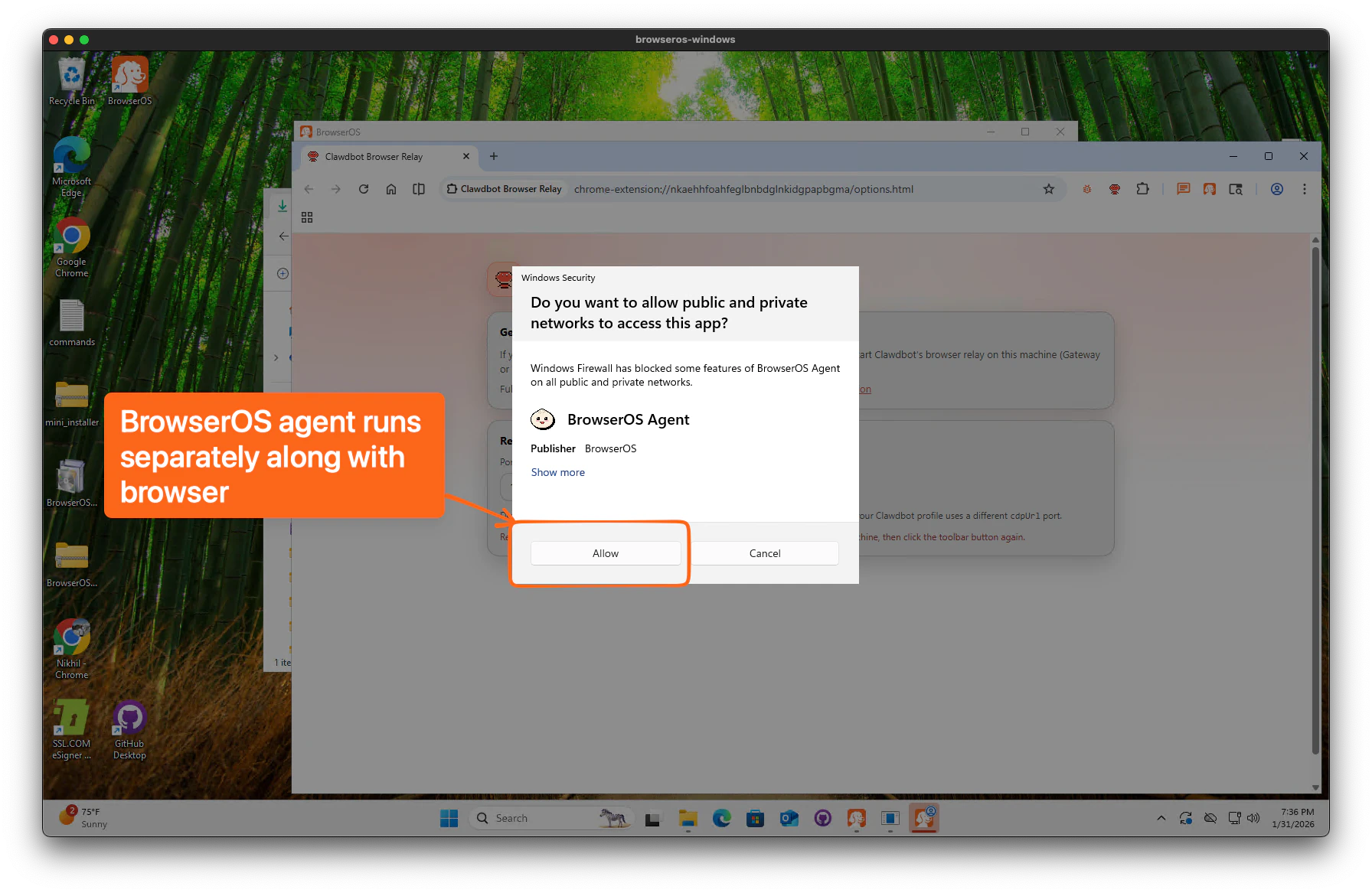
Fix It
1
Go to Settings → MCP Server and click Restart
Open Settings from the sidebar, scroll to the MCP Server section, and click Restart. Wait a couple of minutes.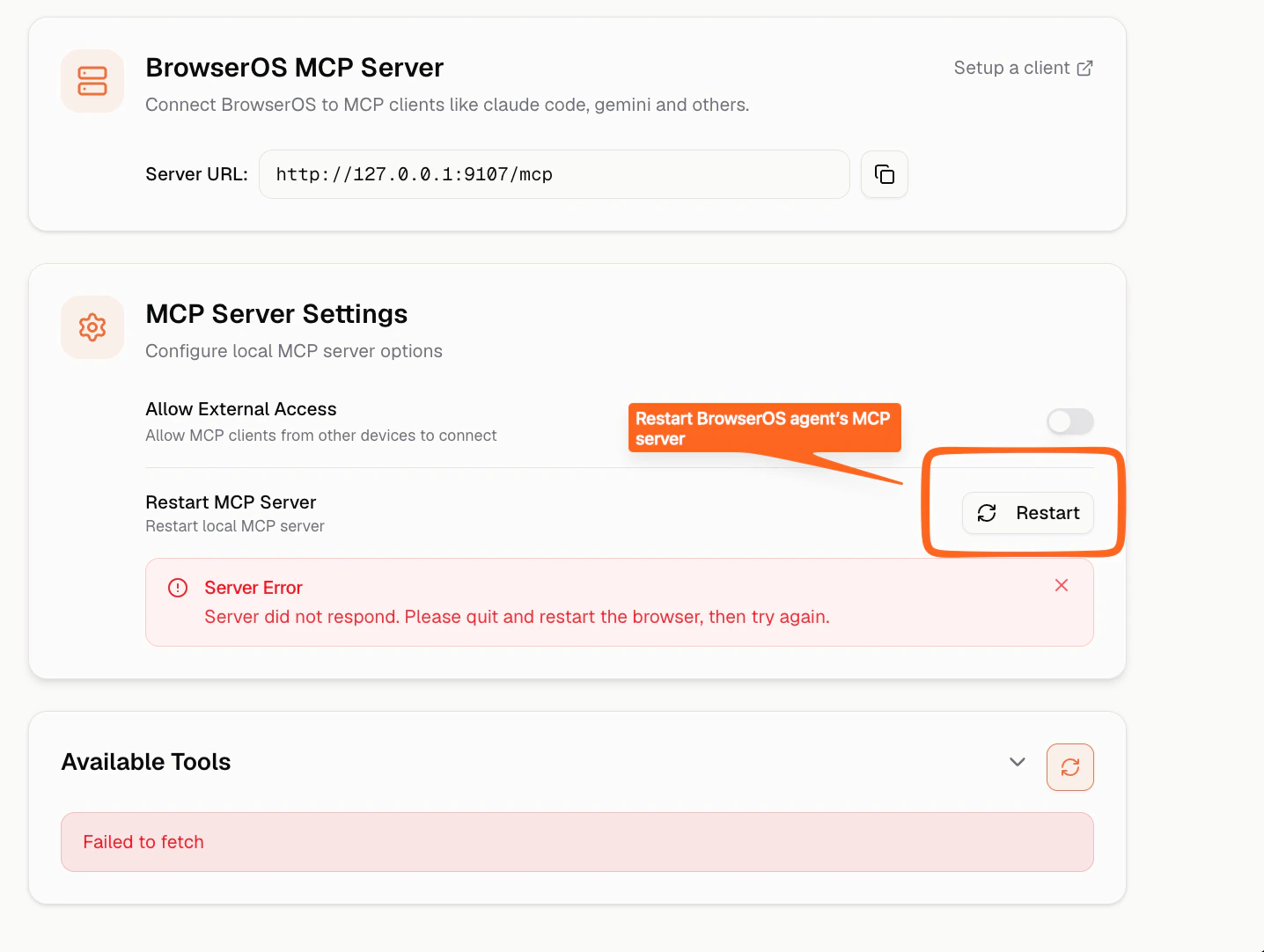
2
If restart doesn't work, restart the BrowserOS Agent manually
- Windows
- macOS
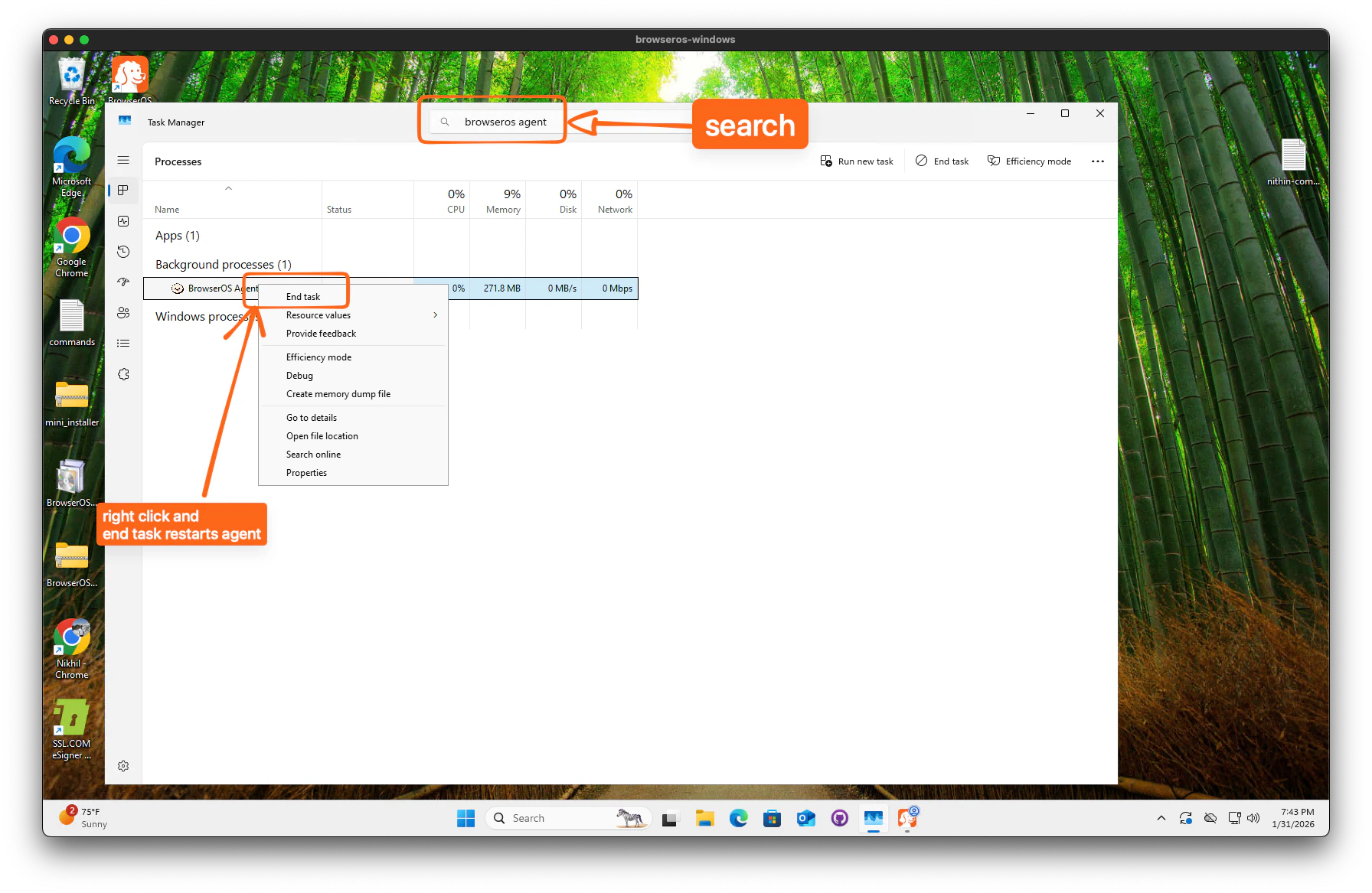
- Open Task Manager — press
Ctrl + Shift + Escor right-click the taskbar and select Task Manager. - In the search bar at the top, type browseros agent.
- Right-click BrowserOS Agent and select End task.
- Reopen BrowserOS — the agent will restart automatically.
If the agent still doesn’t reconnect, end both BrowserOS and BrowserOS Agent in Task Manager, then reopen the app.
Still Not Working?
Check if another application is using the port
Check if another application is using the port
The agent runs on port Then restart BrowserOS.
9100 by default. If another application is using this port, BrowserOS cannot start the agent.- macOS/Linux
- Windows
Find the process:Kill it (replace
PID with the process ID from above):Check your firewall or antivirus settings
Check your firewall or antivirus settings
Some firewalls may block local connections. Make sure your firewall allows connections to
127.0.0.1:9100.Windows users: Antivirus software sometimes triggers a false positive. Try temporarily disabling your antivirus and restarting BrowserOS.Get Help
If you’re still experiencing issues, reach out:Discord
Get help from the community
Slack
Join our Slack